
Library Management and Metadata
Keep the library indexed, enrich game information, export coverage reports, and manage downloaded media.
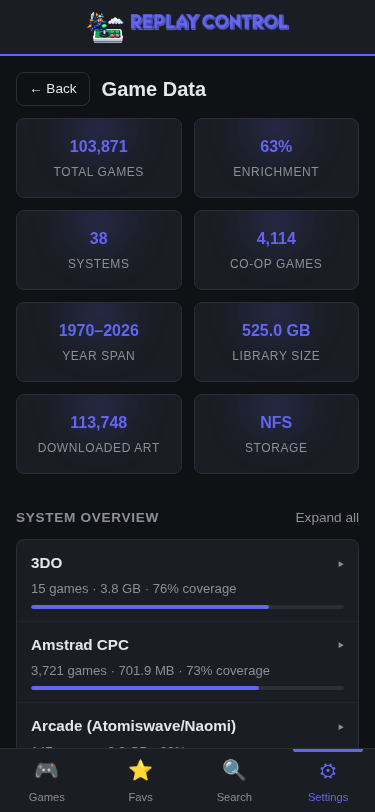
Open Settings > Library & Games > Game Library to reach the Library Management and Metadata page.
Library Management is for maintenance tasks rather than day-to-day browsing:
- Rescan or rebuild the game library
- Download or refresh optional metadata
- Download, clear, or clean up artwork
- Check per-system metadata coverage
- Export a CSV report of your library
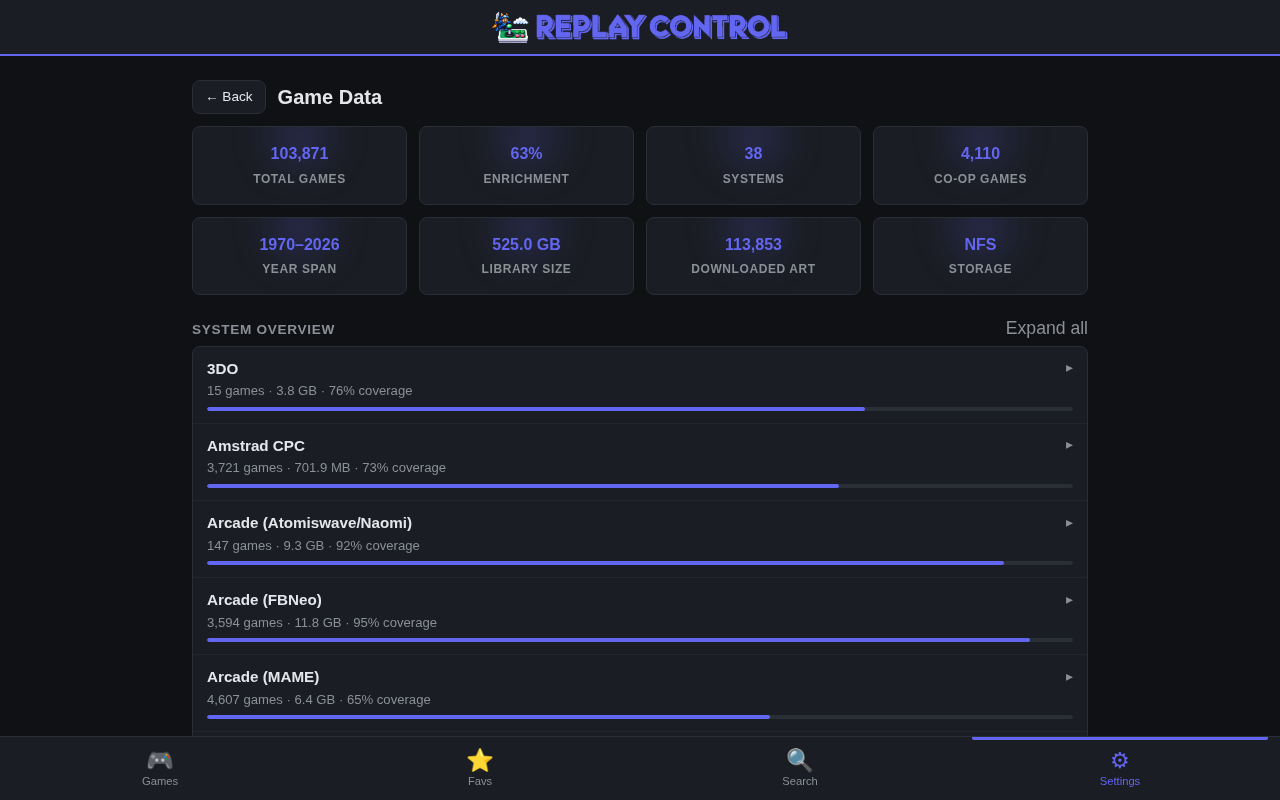
Rescan vs Rebuild
Both actions look at your ROM folders and refresh the library, but they are meant for different situations.
| Action | Use When | What It Does |
|---|---|---|
| Rescan Library | Added, removed, renamed, or copied ROMs on NFS, or want to force a full reconcile after external changes | Reconciles the library with the files on disk, refreshes metadata, and reuses valid identity data for unchanged files |
| Rebuild Game Library | Suspect stored identity data is wrong, changed a large amount of metadata, or need a full verification pass | Rechecks the library from scratch and recomputes eligible hashes instead of trusting existing stored identity data |
For SD, USB, and NVMe storage, Replay Control usually detects ROM changes in real time and rescans only the affected system. For NFS storage, filesystem events from other machines are not reliable, so Rescan Library is the normal way to pick up ROM-set changes made while the app is already running. A restart also runs the startup scan and reconciles the share, but Rescan is the immediate option.
Rebuild is slower, especially on large NFS libraries or disc-heavy collections, because it intentionally does more verification work.
When ROM matching continues after either action, Replay Control shows a Matching ROMs banner. Browsing remains available, but starting another rescan or rebuild is blocked until matching finishes.
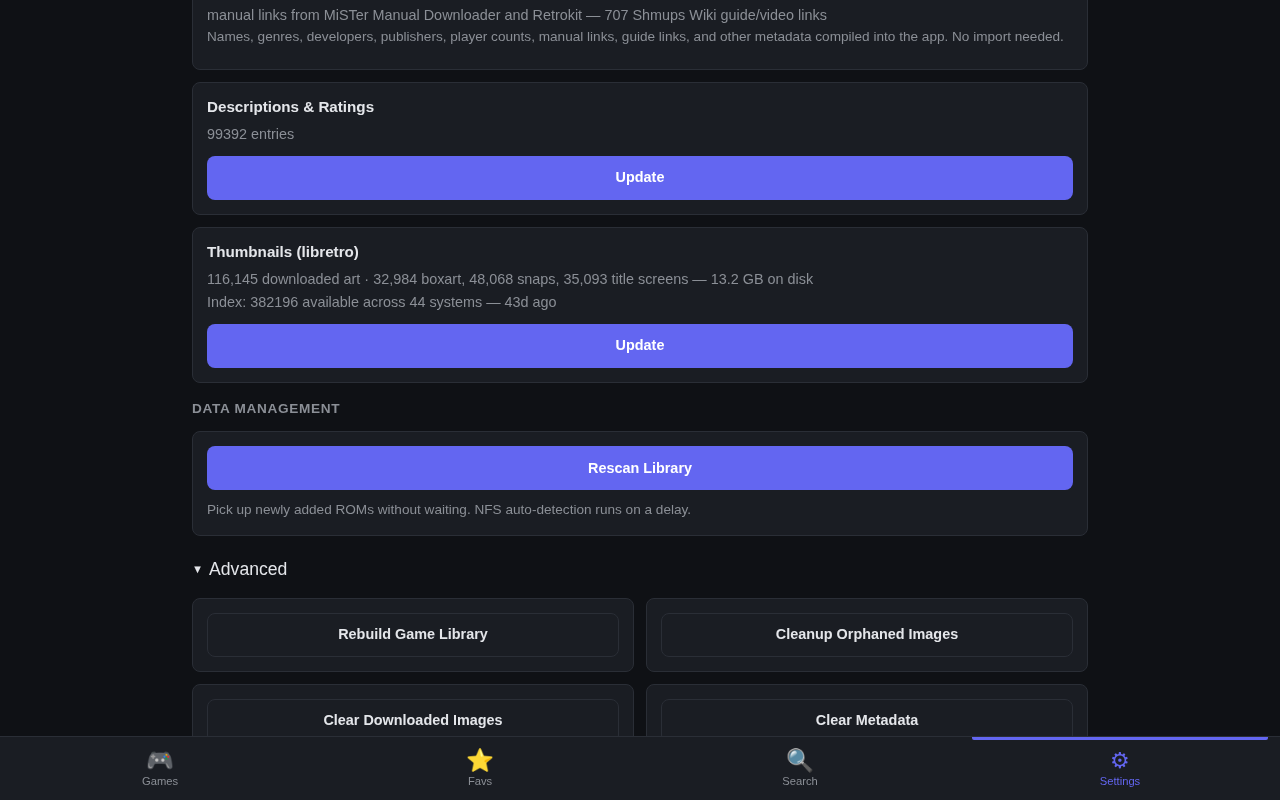
Built-In Game Data
Replay Control works offline from the first install. Built-in data provides useful names and metadata for many console and arcade libraries:
- Console display names, release years, genres, developers, publishers, player counts, and ratings where available
- Arcade display names, years, manufacturers, player counts, rotation, driver status, categories, clone/parent relationships, mature flags, and hardware boards
- Series and franchise relationships for many games
- Community metadata for special cases such as curated collections, aftermarket releases, and homebrew compilations
Games are identified by the strongest available signal for the system: content hashes when supported, and title/filename matching as a fallback.
Optional Metadata Downloads
Optional online sources fill gaps in the built-in data. They are useful, but the app does not require them to browse or launch games.
LaunchBox Metadata
The LaunchBox refresh adds descriptions, ratings, publisher/developer data, release dates, cooperative flags, and some video/manual suggestions where they match your library.
Built-in values remain preferred when both sources provide the same kind of information. External metadata is mainly there to fill blanks and improve game detail pages.
Resource Links
Replay Control can suggest manuals, guides, and video resources on supported game detail pages. Suggested links are shown only when they match a game in your library. The actual file is downloaded later only if you choose to save it.
Arcade Mature Flags
Some arcade sources mark entries with a * Mature * category. Replay Control keeps those ROMs visible because full arcade sets often include them, but the Library Management page counts mature entries for affected arcade systems.
The count links to that system’s game list filtered to only those mature-flagged entries. The game detail page shows the mature category as information only; it is not a global search filter.
Library Coverage
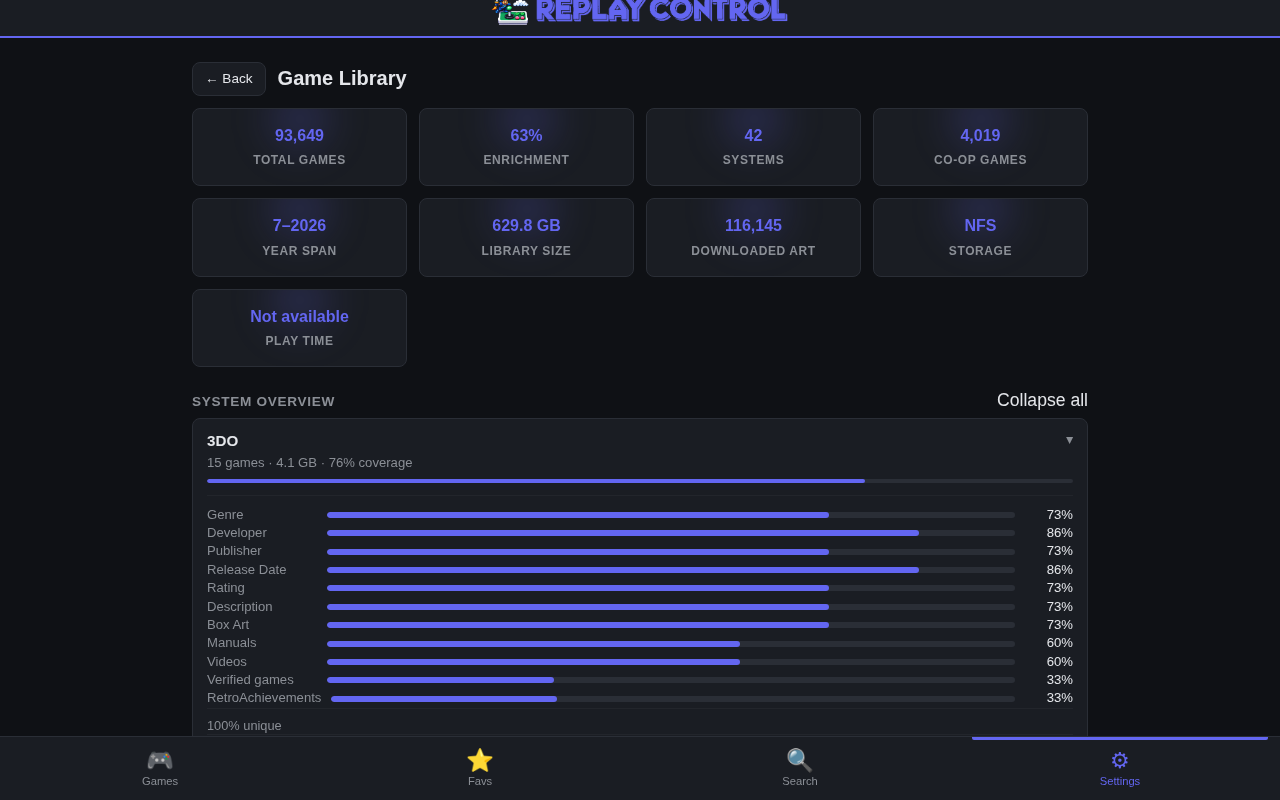
The per-system coverage section helps you understand what data is present for each system. Expand a system to inspect coverage for:
- Verified identity matches
- RetroAchievements matches where supported
- Genre, developer, publisher, release date, rating, and description coverage
- Box art, screenshots, title images, manuals, videos, and other resources
- ROM set composition such as originals, clones, hacks, translations, and homebrew
- Arcade board, mature-flag, region, and genre breakdowns where relevant
Export Metadata CSV
The Advanced section offers a CSV export for library audits and metadata cleanup. You can export all systems or a single system.
Each row represents one ROM and includes identity fields, title and region information, content hash data, metadata coverage, media presence, RetroAchievements data, classification tags, grouping keys, and missing-field summaries.
The export is built for ROM pack maintenance, source coverage comparisons, and spotting systems that need better metadata. It reflects the live library, including hacks and translations, instead of hiding anything.
Image and Rebuildable Data Management
The page also includes maintenance actions for downloaded artwork and rebuildable metadata:
- Clear metadata – removes optional provider metadata and resource suggestions so they can be refreshed
- Clear images – removes downloaded box art, screenshots, and title images
- Cleanup orphaned images – removes downloaded images that no remaining game can use
- Clear thumbnail index – rebuilds the local index of available thumbnail files
These actions are admin-only. They are intended for recovery, cleanup, and storage maintenance, not normal browsing.
For artwork behavior and matching rules, see Thumbnails.