
Arcade Boards
Browse and discover arcade games by the hardware they ran on.
Most arcade games were built for a specific circuit board — Capcom’s CPS-2, SNK’s Neo Geo MVS, Taito’s F3 System, Sega’s System 16, and so on. Replay Control identifies the board behind each arcade game in your library and turns it into something you can browse, search, and get recommendations from.
On a Game’s Page
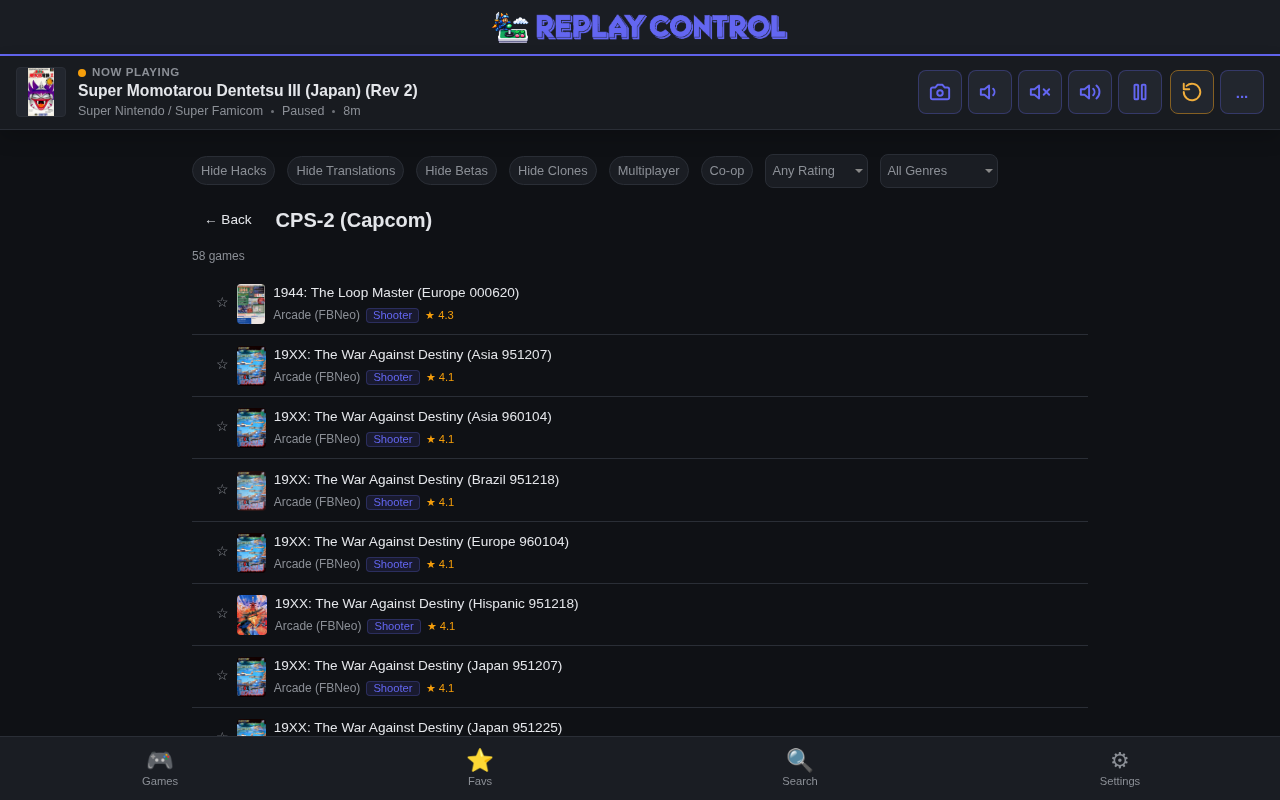
Arcade games show their board in the info card, labelled with the manufacturer — for example CPS-2 (Capcom) or Neo Geo MVS (SNK). The board is a link: tap it to open that board’s page and see everything else in your library that ran on the same hardware.
The detail page also gains a More on this board row — a horizontal scroll of other games on the same board, with a “See all” link to the full board page.
Board Pages
Each board has its own page (/board/:tag) that works just like the developer pages:
- System filter chips across the top — every system that has games on this board, with counts
- Content filters — hide hacks, translations, betas, clones; multiplayer or co-op only; genre, minimum rating, and year range
- Infinite scroll with box art and per-card system badges
It’s the easiest way to answer “what else do I have on this board?”
Board Search
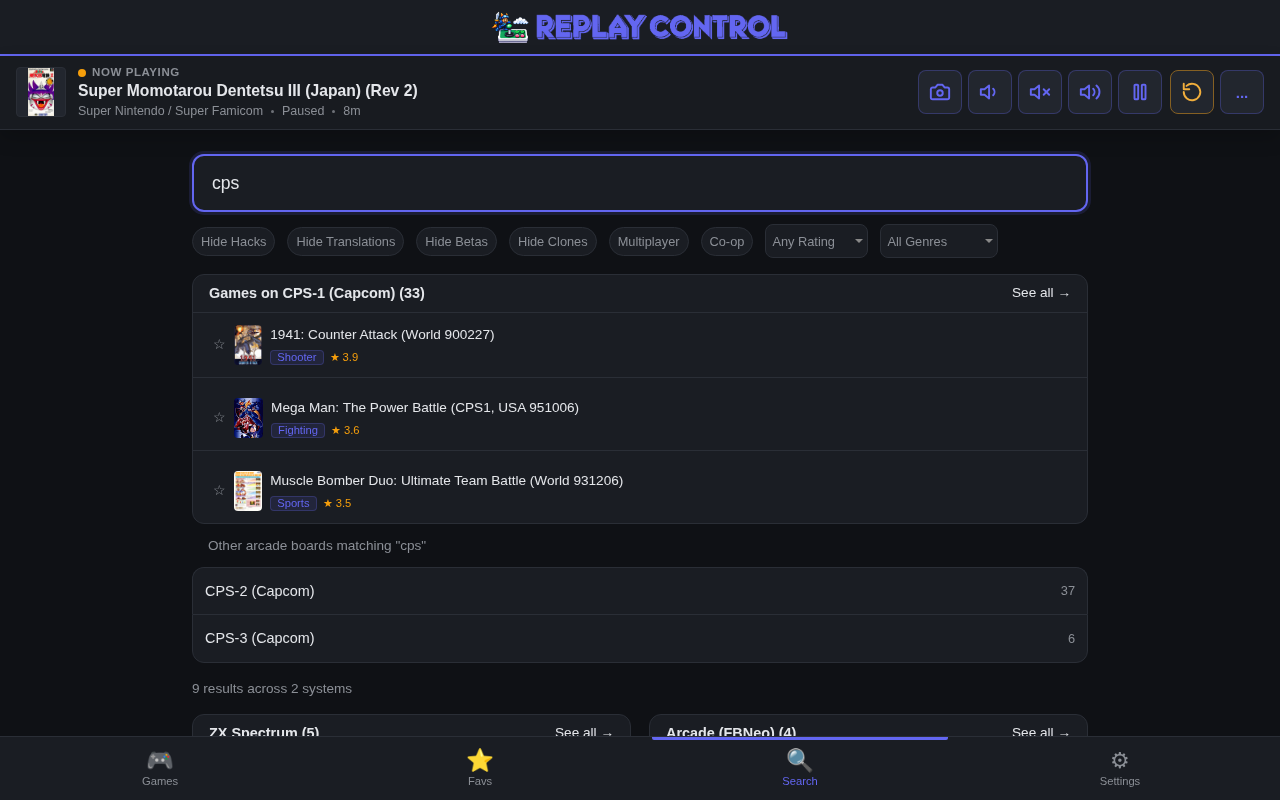
When your search query matches a board name or a common shorthand — cps, neo geo, mvs, naomi, f3, and so on — a Games on [board] block appears above the regular results, showing the top-matched board’s games with box art. If the query matches more than one board (typing cps finds CPS-1, CPS-2, and CPS-3), the extras are listed below as tappable links with game counts. Each links straight to its board page.
This sits alongside the existing developer block, so a search can surface matching developers and matching boards at the same time.
Boards in Recommendations
Boards feed into the home page two ways:
- Discover pills — the quick-link chip strip mixes in pills like “More CPS-2 (Capcom)” drawn from the boards you own the most games for.
- Spotlight — the rotating spotlight row sometimes features a board (“Games on Neo Geo MVS”), showing a selection of its games.
Both rotate, so they change as you reload and as your library grows.
Coverage and Accuracy
Board identification covers the curated arcade boards across MAME, FBNeo, and Flycast, including Naomi, Naomi 2, Atomiswave, System SP, Psikyo, Psikyo SH-2, Sega Y Board, SSV, and Kaneko Super Nova System. Not every arcade game maps to a known board — only the boards Replay Control tracks are labelled; everything else simply has no board shown.
Game counts on board pages, pills, and the search blocks count distinct titles and exclude clones, translations, hacks, and special versions, so they line up with what you’d expect from the original release set.
A few boards can’t be told apart from the source data — for example Irem’s M84 games share a driver with the M72 in every upstream database, so they’re grouped under M72 rather than split out.
See Library Management and Metadata for where the underlying arcade data comes from and how arcade metadata coverage is shown.